
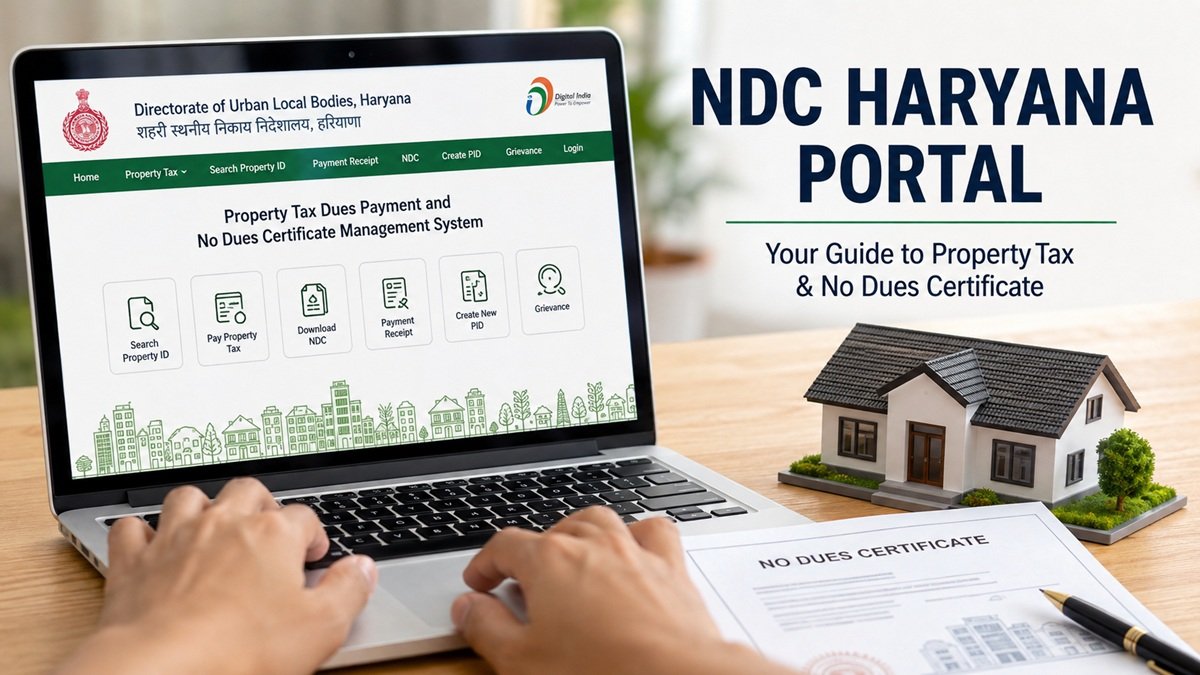
Buying or selling property in Haryana often comes to a standstill over one document. The sub-registrar refuses to proceed without it. The bank withholds the loan until it appears. That document is the No Dues Certificate, and the NDC Haryana portal is where every property owner in the state now obtains it. Gone are the days of queuing outside municipal offices with files of receipts. The entire process, from checking property tax to downloading the final certificate, happens online.
This guide walks through what the NDC Haryana system does, how to register, how to pay outstanding dues, and how to download the certificate without errors or delays.
What Is the NDC Haryana Portal
The portal’s official name is the Property Tax Dues Payment and No Dues Certificate Management System, and it operates under the Directorate of Urban Local Bodies, Haryana. It brings every municipal town in the state, including Gurugram, Faridabad, Panipat, Ambala and Sonipat, onto a single digital platform. Property owners no longer deal with separate municipal corporations for separate tasks.
An NDC itself is a legal statement confirming that a property carries no outstanding dues, whether property tax, fire tax, water charges or other municipal liabilities, as on the date the certificate is issued. Lawyers ask for it before registry. Banks ask for it before disbursing a home loan. Without it, a sale simply stalls.
Why the Portal Matters for Property Owners
Property records in Haryana used to sit scattered across paper files, which led to mismatched ownership details and disputes that dragged on for months. The digital system fixes much of that by letting owners self-certify their details and correct errors directly online.
Speed is the other major gain. Once the outstanding balance against a Property ID reads nil, the certificate generates immediately and downloads as a PDF carrying the Property ID and the issue date. There is no separate fee for the certificate itself; the only payment involved is the tax due, not a charge for the document. Buyers previously waited weeks for manual approval from a municipal office. That wait has effectively disappeared.
Self-certification through the portal also affects the tax bill. Haryana has offered concessions on lump-sum payments to owners who confirm their property details and clear dues in one go, so keeping records current on the system is not just a compliance step, it can lower the amount owed.
Understanding the Property ID (PID)
Every service on the platform runs through the Property ID, a unique number assigned to each property that ties together ownership, location and tax history. Without a correct PID, neither the tax payment nor the certificate request will go through.
Owners who do not know their PID can search for it by owner name, mobile number, house number, colony name or the relevant city and Urban Local Body. Once located, the search result shows the Property ID alongside the current tax status and ownership record, which makes it far easier to spot an error before it causes a problem at registry.
How to Register on the NDC Haryana Portal
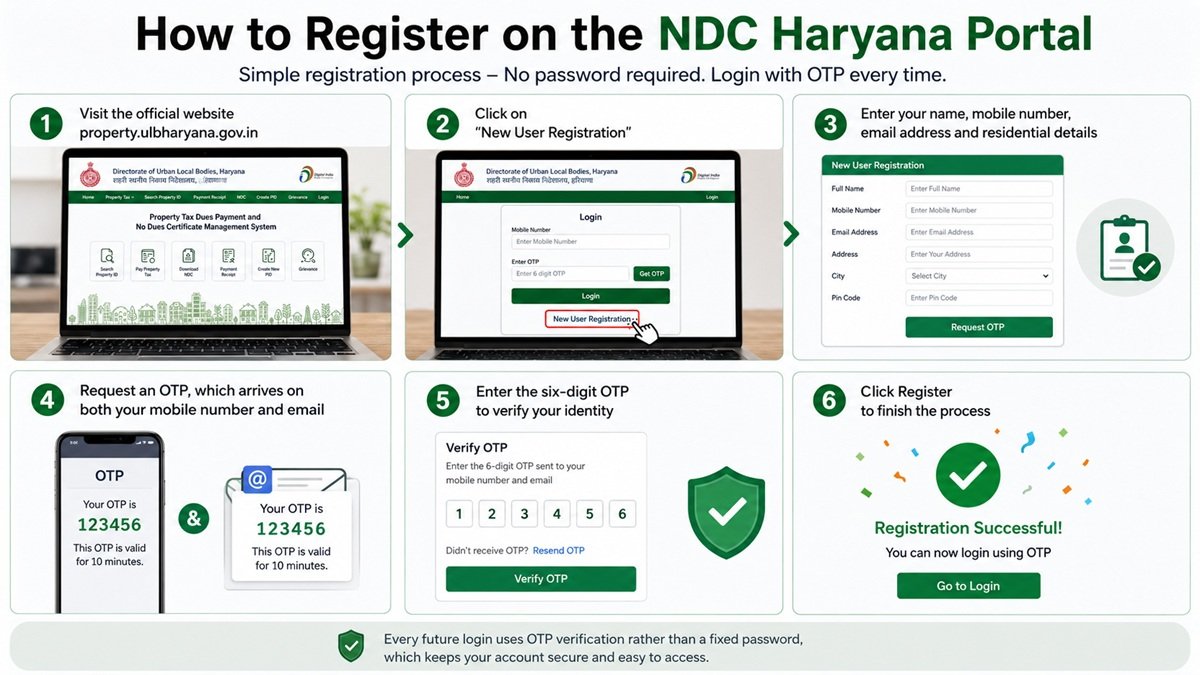
Registration is simple and does not require setting a password.
- Visit the official website at property.ulbharyana.gov.in.
- Click on New User Registration on the homepage.
- Enter your name, mobile number, email address and residential details.
- Request an OTP, which arrives on both your mobile number and email.
- Enter the six-digit OTP to verify your identity.
- Click Register to finish the process.
Every future login uses OTP verification rather than a fixed password, which keeps the account reasonably secure without asking owners to remember another set of credentials.
Read More: ULB Haryana Guide
Paying Property Tax Through the NDC Haryana Portal
Once logged in, paying tax follows a short sequence.
- Log in with your registered mobile number and the OTP sent to you.
- Search for your property using the PID or the owner details.
- Review the outstanding demand shown against the property.
- Confirm or correct the property details if anything looks outdated.
- Complete the payment using the available online methods.
- Save or print the receipt for your records.
It helps to keep every transaction receipt rather than relying on the portal’s history alone, since a fresh certificate request later will move faster with proof of payment already on hand.
How to Download the No Dues Certificate
Two conditions must be met before the certificate becomes available. First, every property tax dues linked to the PID must be cleared in full. Second, the property details on record must be current, verified and self-certified, with the PID still active on the system.
Once both conditions are satisfied, the download follows these steps.
- Log in to the NDC Haryana portal with your credentials.
- Navigate to the Certificates or Property Services section.
- Select the option to download the No Dues Certificate.
- Enter the Property ID linked to the property.
- The system checks the outstanding balance against that PID.
- If the balance reads nil, the Print NDC button becomes active.
- Click Print NDC, and the certificate opens in a new window.
- Use the print option to save the certificate as a PDF.
The certificate reflects dues only as of its issue date. If a sale drags on past a financial year boundary and a fresh demand gets raised in the meantime, the buyer’s lawyer will typically ask for an updated certificate. It is worth generating the document close to the actual registry date rather than months in advance.
Other Services on the Portal
Beyond tax payment and certificate downloads, the platform handles several related tasks. Owners can create a new Property ID for a property that has never been registered, search an existing PID, download old payment receipts, check the current status of a No Dues Certificate request, verify property details and past payments, link a Property ID with a Family ID, and raise objections where property data looks incorrect.
Linking the Property ID with the Family ID has become increasingly relevant, since Haryana has been tying several welfare and administrative services to family records. Keeping this link updated avoids complications elsewhere.
Common Mistakes to Avoid
Owners frequently run into avoidable delays. Entering an incorrect Property ID during search is the most common one, so it helps to cross-check the PID against an old tax receipt before submitting a request. Skipping self-certification is another frequent issue, since an uncertified property will not generate a clean certificate even if the tax has been paid in full.
Some owners also wait too long between the certificate download and the actual property transaction. Because the document is a snapshot, treating it as valid indefinitely is a mistake. Generating it shortly before the sale or transfer date reduces the risk of a lawyer or bank rejecting it as outdated.
Conclusion
The NDC Haryana portal has genuinely simplified what used to be a slow, paper-heavy process. Property owners across the state can now register, pay tax, correct records and download a No Dues Certificate without stepping into a municipal office. The system rewards accuracy: a correctly linked Property ID, up-to-date self-certification and cleared dues will get a certificate issued within minutes. For anyone involved in buying, selling or transferring property in a Haryana municipal town, understanding how the NDC Haryana system works is no longer optional, it is a basic part of getting the transaction through.
Planning a property purchase or sale in Haryana? Zen Nest Living brings you clear, reliable real estate guides to help you navigate paperwork, taxes and certificates with confidence. Explore more expert property insights and make your next move a well-informed one today. Contact our experts to get all the answers to your queries.
Frequently Asked Questions
1. What does NDC stand for on the Haryana property portal?
NDC stands for No Dues Certificate. It is an official document issued by an Urban Local Body confirming that no property tax or related municipal dues remain outstanding against a specific Property ID as on the date of issue.
2. Is there a fee for downloading the certificate from NDC Haryana?
No. The certificate itself is generated free of charge once the outstanding balance against the Property ID is nil. The only amount payable is any pending property tax, not a fee for the document.
3. How long does an NDC Haryana certificate remain valid?
The certificate is a snapshot of dues on its issue date rather than a document with a fixed validity period. If a transaction is delayed past a new financial year or fresh dues get raised, buyers and lawyers usually request an updated certificate.
4. What happens if my Property ID details are outdated on the portal?
An unverified or outdated PID can block the certificate from generating even after tax payment. Owners need to self-certify and correct their property details on the portal before the system will issue the No Dues Certificate.